
Hello, aspiring computer forensic investigators. In our previous blogpost, you learnt about digital forensics. In this article, you will learn about Network Forensics, one of the branches of digital forensics. In today’s hyperconnected world, cyber threats are not a question of if, but when. Whether it’s a data breach, ransomware, or insider abuse, almost every cybercrime leaves behind a digital trail — and many of those trails run through the network. That’s where the role of network forensics comes.
New to Ethical Hacking?
Start your journey with The Beginner Ethical Hacker Starter Kit (2026 Edition).
Inside the free guide, you’ll learn:.
- Ethical hacking fundamentals
- Beginner cybersecurity roadmap
- Essential hacking tools
- Common vulnerabilities explained
What is Network Forensics?
Network forensics is a branch of digital forensics that focuses on monitoring, capturing and analyzing network traffic as a part of investigating security incidents. In simpler terms: it’s like watching and recording the flow of digital “conversations” between computers to spot anything suspicious — whether it’s a malware infection, data leak or unauthorized access.
Uses of Network Forensics
Network Forensics helps cyber forensic investigators in:
- Reconstructing cyberattacks
- Trace data exfiltration
- Understand how threats moved through a network
- Provide legal evidence after a breach
While file forensics focuses on data present on the devices (like hard drives or phones), this branch of forensics focuses on the communication between devices. This is important because:
- Many attackers leave no trace on the device itself after attack.
- Real-time monitoring can catch threats as they happen.
- Network logs often provide a broader view of suspicious activity.
It helps answer critical questions like:
- How did the attacker get in?
- What data was accessed or stolen?
- Where did the malicious traffic come from?
- Was the incident internal or external?
Some real-life examples are,
Corporate Breach: An e-commerce company notices a spike in outbound traffic. Network forensic analysis reveals that customer data was being exfiltrated to an external server in another country.
Insider Threat: An employee tries to upload sensitive documents to a personal cloud account. Network forensics identifies the behavior and logs the attempted breach before data is lost.
Malware infection: A user clicks on a phishing link and unknowingly installs malware. Network traffic shows communication with a known command-and-control (C2) server — allowing the security team to isolate the device and stop further damage.
Key Elements of Network Forensics
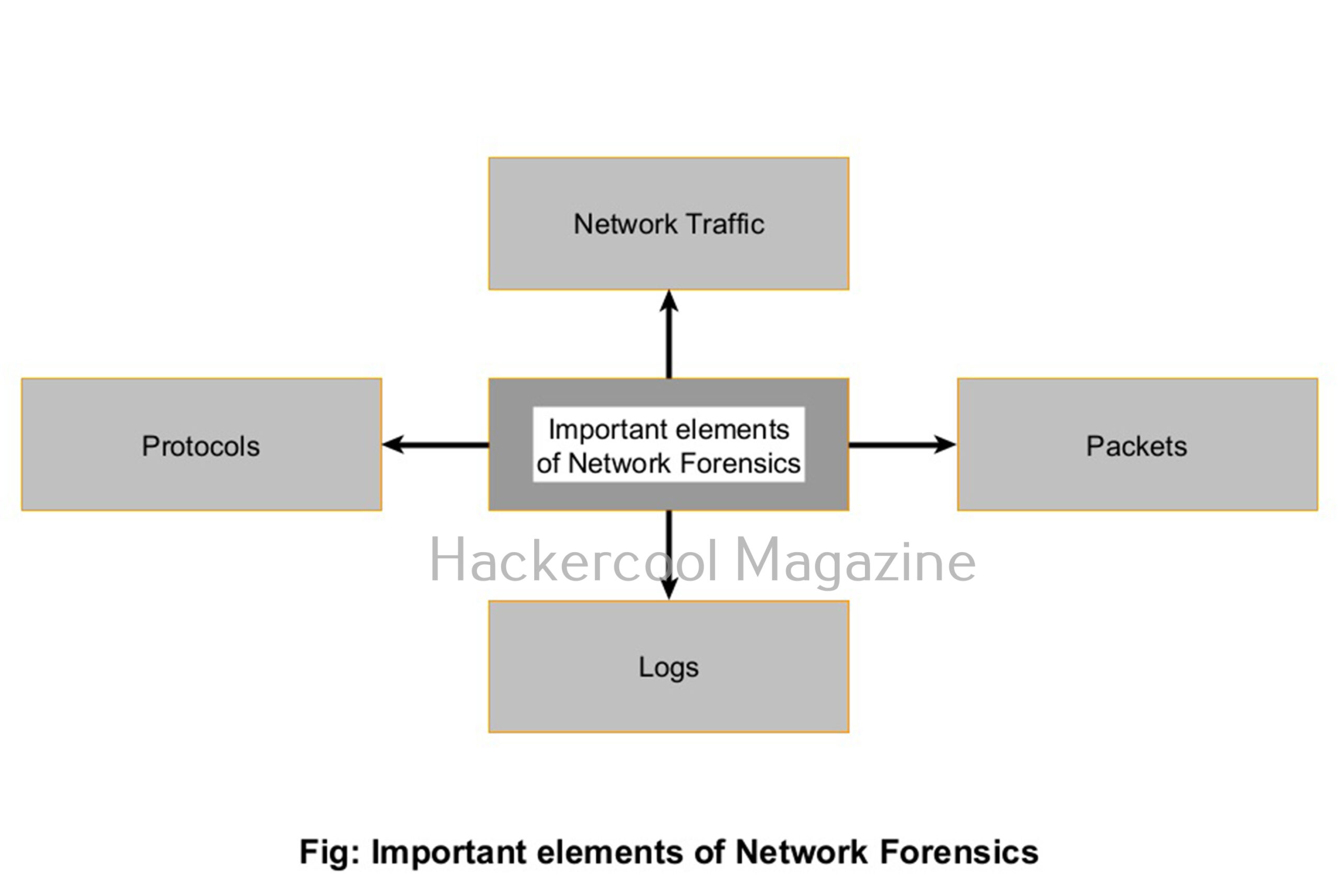
To understand how network forensics works, it helps to know what analysts are looking at. Here are the key components:
Want to Learn Ethical Hacking Step-by-Step?
If you’re serious about learning cybersecurity, a structured roadmap makes the journey much easier.
Download The Beginner Ethical Hacker Starter Kit (2026 Edition) and discover:
✔ The ethical hacking learning path
✔ Beginner-friendly security concepts
✔ Essential tools ethical hackers use
✔ The most common vulnerabilities explained
1. Network Traffic:
All the data moving across a network like emails, file transfers, web requests and more is collectively called Network Traffic.
2. Packets:
Network traffic is broken into small units called packets while transmitting. Each packet contains data and metadata, like source/destination IP addresses, ports and protocols.
3. Logs:
Many devices like firewalls, IDS, IPS, Honeypots, routers and servers generate logs that record traffic activity. This logs are a goldmine for forensic analysis.
4. Protocols:
Understanding how common protocols like HTTP, TCP/IP, DNS, FTP and SMTP etc work helps identify unusual or malicious behavior.
Network Forensics process
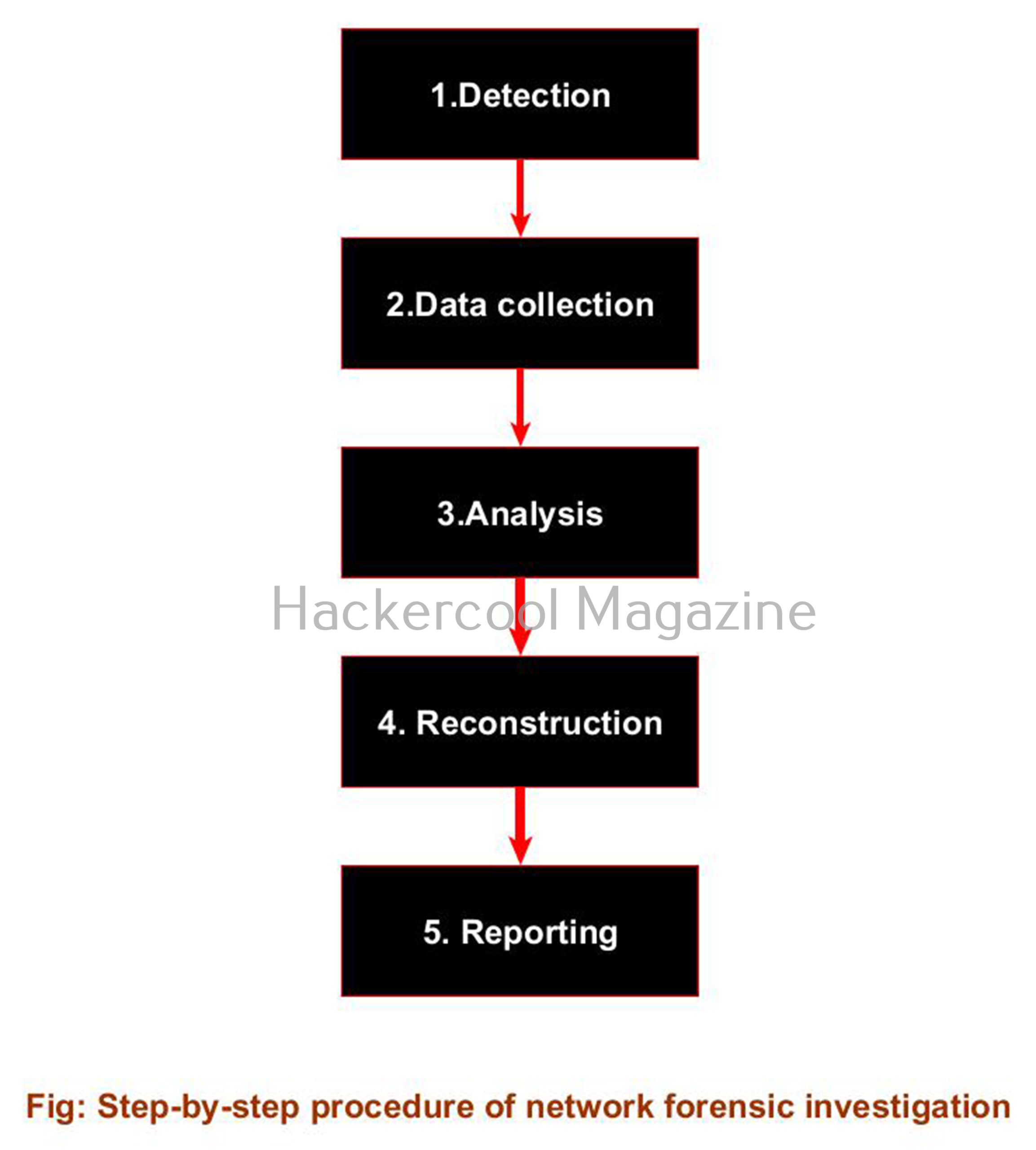
Here’s a simplified version of how a typical network forensics process works:
1. Detection:
The first step of a network forensics process starts when an alert is triggered — perhaps from a firewall, intrusion detection system (IDS) or a suspicious login attempt.
2. Data collection:
As soon as a alert is triggered, traffic logs or full packet captures (PCAP files) are collected for analysis. Tools may capture live traffic or pull from historical data.
3. Analysis:
Security analysts then inspect the collected data to identify patterns or anomalies, such as:
- Unusual traffic spikes
- Unexpected data transfers to external IPs
- Use of non-standard ports or protocols etc.
4. Reconstruction:
Analysts recreate the sequence of events: how the attacker entered, moved laterally and what data was affected etc.
5. Reporting:
After analysis and reconstructing the events is complete, a clear, documented report is created that is used for incident response, compliance or legal action.
Popular Network Forensic tools
Here are some popular tools that beginners frequently used in network forensics:
- Wireshark: The most widely used open-source tool for analyzing network packets.
- tcpdump: A command-line tool for capturing packets in real-time.
- Zeek (formerly Bro): A powerful network monitoring tool that turns raw packet data into structured logs.
In the ever-evolving world of cyber threats, network forensics plays a very important role. It allows teams to not just react to attacks, but understand them and build stronger defenses for the future. Neext, learn about Database Forensics.
Start Your Ethical Hacking Journey Today
Learning cybersecurity can feel overwhelming at first. The best way to start is with a clear roadmap and the right resources.
Download The Beginner Ethical Hacker Starter Kit (2026 Edition) and get instant access to:
✔ Ethical hacking fundamentals
✔ A beginner cybersecurity learning roadmap
✔ Essential hacking tools every beginner should know
✔ Common vulnerabilities explained simply


